HAPTIK_OS is the software ecosystem behind Haptikos. It connects exoskeleton capture, calibration, data streaming, APIs, ROS2, simulation bridges, and SDKs — turning human dexterity into robot-ready pipeline for teleoperation, training, and benchmarking.
01/ HAPtikos App YOUR CONTROL
CENTER FOR
DEXTERITY
CAPTURE
Device setup & data streamingConnect Haptikos Exoskeletons, monitor device status, and stream calibrated hand data into robotics workflows.
One-Pose Calibration and Profile ManagementCalibrate each operator once, save their profile, and reload it instantly for repeatable demonstration sessions.
Motion Recording and PlaybackRecord, replay, and inspect hand demonstrations before sending them to mapping, simulation, or training pipelines.
02/ Haptikos SDKs
BUILD ON HAPTIKOS DATA
Haptikos SDKs give developers access to captured hand data and the tools to build on top of it across robotics and XR workflows. The Robotics SDK connects Haptikos data to APIs, ROS2 systems, NVIDIA Isaac Sim, robot-hand mapping, teleoperation, simulation, training, and benchmarking pipelines. The Unity SDK supports XR training, simulation, visualization, gesture interaction, recordings, and haptic experiences — keeping Unity as part of the ecosystem.
02.01/ SDKs' components
ROBOTICS SDK
UNITY SDK
API
Stream real-time and recorded Haptikos data into custom robotics and AI pipelines. The API provides access to 24 DoF hand motion, tactile feedback signals per finger, calibration state, battery level, device status, operator profiles, and recorded sessions.
C++ / C / Python
Integrate Haptikos data directly into robotics, simulation, and machine-learning workflows using developer-friendly APIs across C++, C, and Python.
ROS2 Integration
Connect Haptikos data to ROS2-based robotics systems. The ROS2 integration enables teams to stream hand motion, tactile signals, and device state into robot software stacks for teleoperation, mapping, and policy workflows.
Robot Hand Mappers
Translate human hand demonstrations into robot-specific control spaces. Mapper tools help teams adapt Haptikos data to different robotic hands, from anthropomorphic hands to custom end-effectors.
Embodiment Mapping
Retarget one human demonstration to different robotic hand kinematics, DoF configurations, and control interfaces.
Mapper Libraries
Use mapper libraries for supported robotic hands and partner-specific embodiments, with the flexibility to extend mapping logic for custom hardware.
NVIDIA Isaac Sim Integration
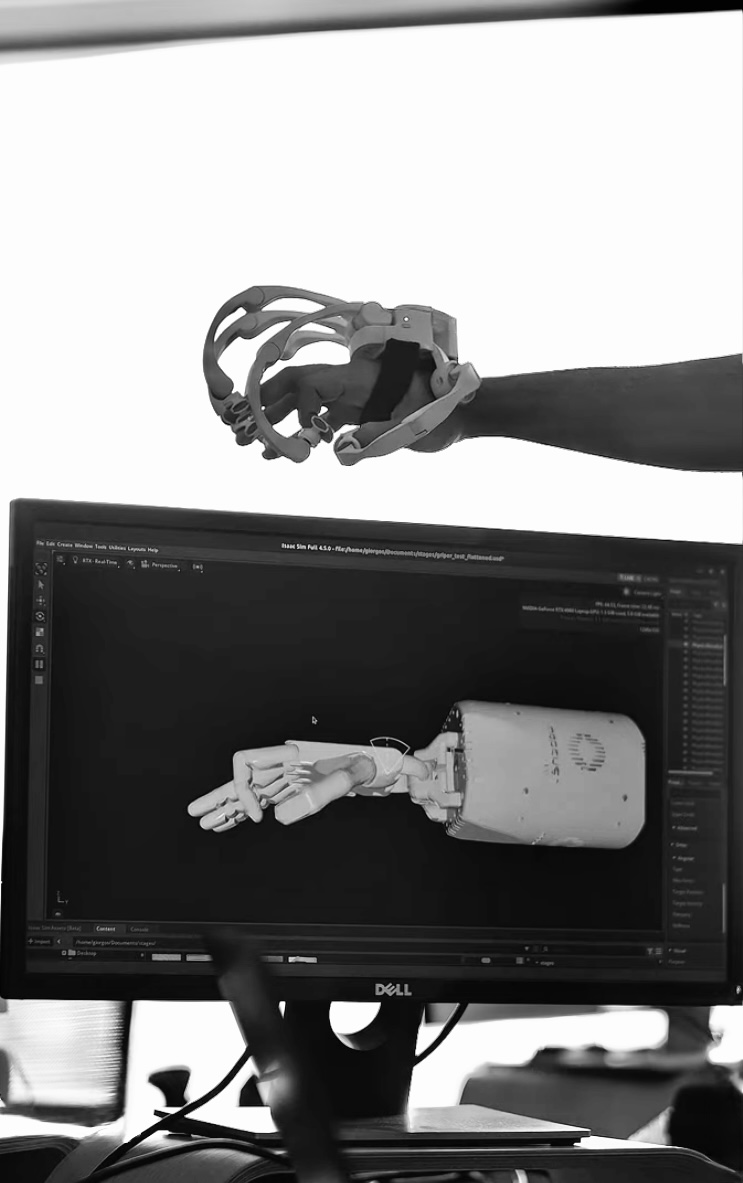
Bring Haptikos demonstrations into NVIDIA Isaac Sim for simulation, replay, scaling, and evaluation. The integration connects Haptikos hand data with Isaac-based teleoperation and simulation workflows.
Isaac Teleop Pipeline
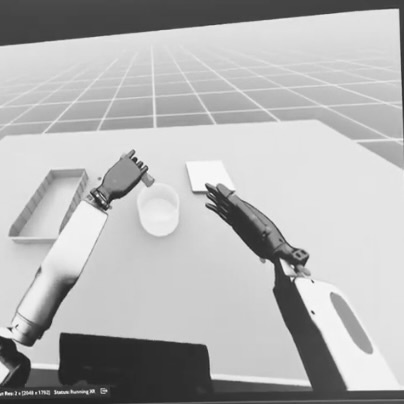
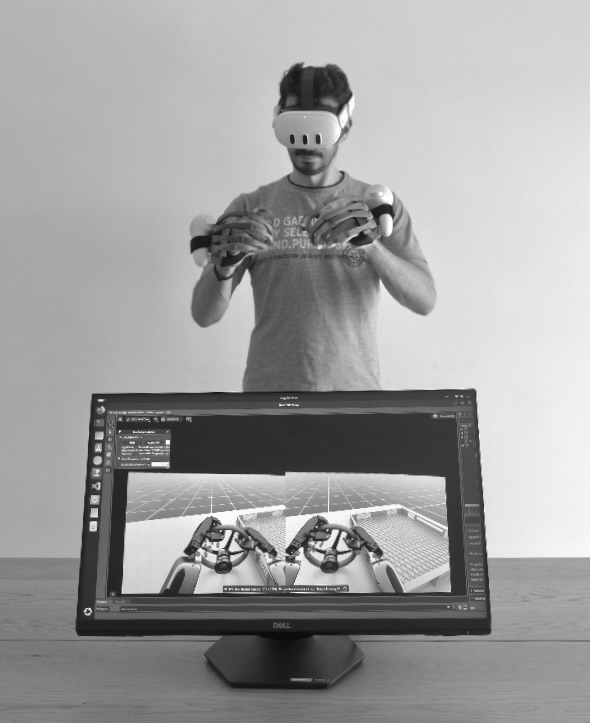
Use Haptikos hand tracking and feedback inside Isaac Teleop workflows to control virtual robot hands and generate demonstrations.
Simulation Replay
Replay captured demonstrations in simulation to inspect motion, test task execution, and evaluate robot-hand behavior.
Synthetic Data & Evaluation
Use real demonstrations as the starting point for simulation rollouts, task variation, training data generation, and performance evaluation.
Grabbables Library
Build realistic hand-object interactions in Unity using Haptikos tracking and interaction tools. The Grabbables Library helps developers create reliable grabbing, holding, releasing, and manipulating behaviors for XR training, simulation, and visualization applications.
Haptikos-Based
Build highly accurate grab interactions powered by Haptikos hand tracking. Ideal for applications that require precise control, repeatable interaction, and reliable hand-object behavior.
Physics-Based
Create interactions that respond to physical properties such as gravity, friction, weight, and collision. This allows virtual objects to behave more naturally, making XR simulations more intuitive and realistic.
Haptics Library
Add tactile feedback to XR applications using ready-made haptic effects or custom-designed sensations. The Haptics Library helps developers connect digital events, object interactions, and training scenarios with responsive touch feedback.
Pre-Built Haptics Library
Access ready-made haptic effects for UI interactions, alerts, object contact, environmental cues, and simulation events. Developers can quickly add tactile feedback without building every effect from scratch.
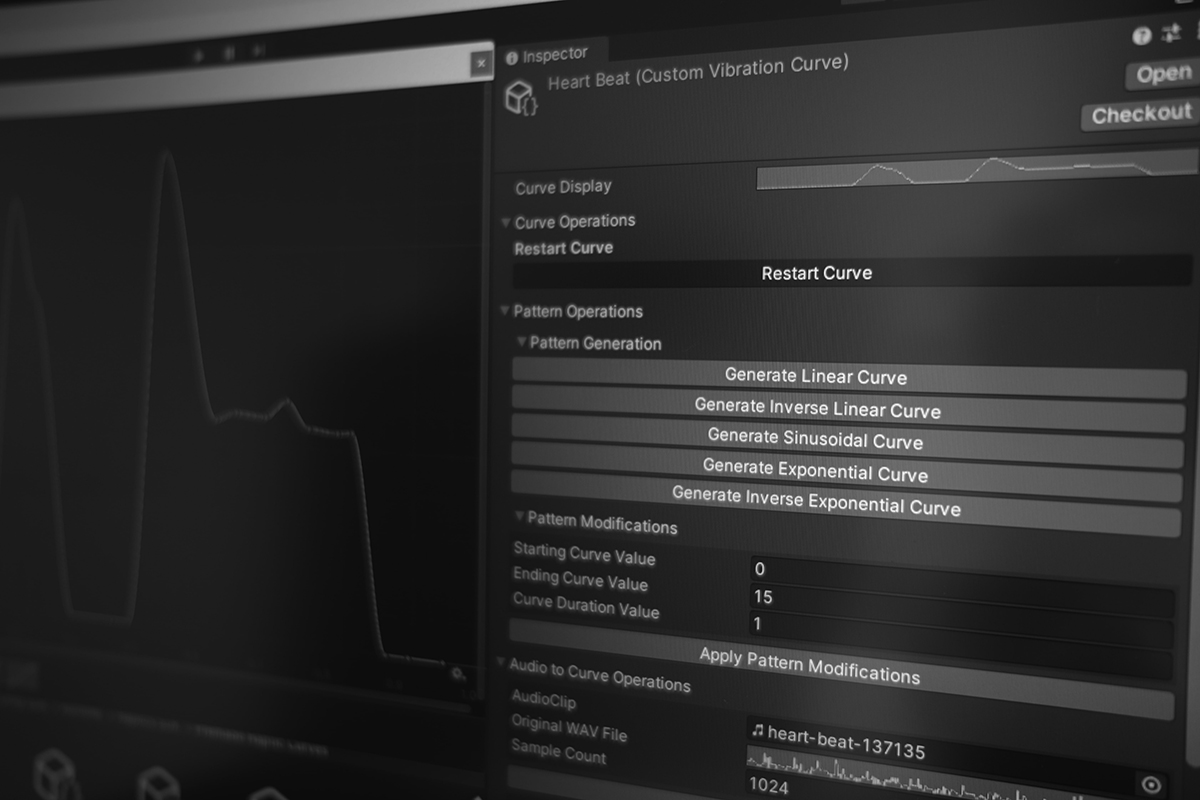
Custom Haptics Creation
Design and fine-tune custom haptic patterns in Unity to match the needs of each application. Adjust sensations for specific objects, tools, procedures, or user interactions.
Gestures Library
Recognize and use hand gestures as interaction inputs inside Unity applications. The Gestures Library helps developers add natural hand-based commands, controls, and interaction logic to XR and simulation workflows.
Pre-Built Gestures
Use a library of common gestures ready for integration into new or existing applications. This helps teams quickly add gesture-based controls without building recognition logic from the ground up.
Custom Gesture Creation
Create, adapt, and extend gestures based on the needs of each application. Developers can define new interactions or modify existing ones to support specific workflows, tasks, or training scenarios.
Additional Tools
Use complementary tools for recording, interface creation, and integration with existing XR ecosystems. These tools help developers build complete Haptikos-enabled applications faster.
Meta SDK Integration
Integrate Haptikos hand tracking with Meta SDK-based projects using ready-made prefabs. This allows developers to start a new project or extend an existing Meta XR application with Haptikos input more quickly.
Haptikos UI Integration
Build native UI functionality directly into Haptikos-enabled applications. Developers can create interactive menus, controls, and digital interfaces that respond naturally to hand motion and haptic interaction.
Motion Recording
Record, store, and replay hand motion data for XR simulation, training review, motion capture, and robotics-related workflows. Captured movements can be used to analyze user behavior, reproduce demonstrations, or create realistic playback.
hptk SDKS
COMPONENTS
Push the
boundar
ies
Ready to BUILD
the Future?
of
what’s possible
TRANSFORM THE WAY YOU
CAPTURE AND TRAIN
ROBOT DEXTERITY